Hot-Swap Keyboards for Beginners: Worth It?
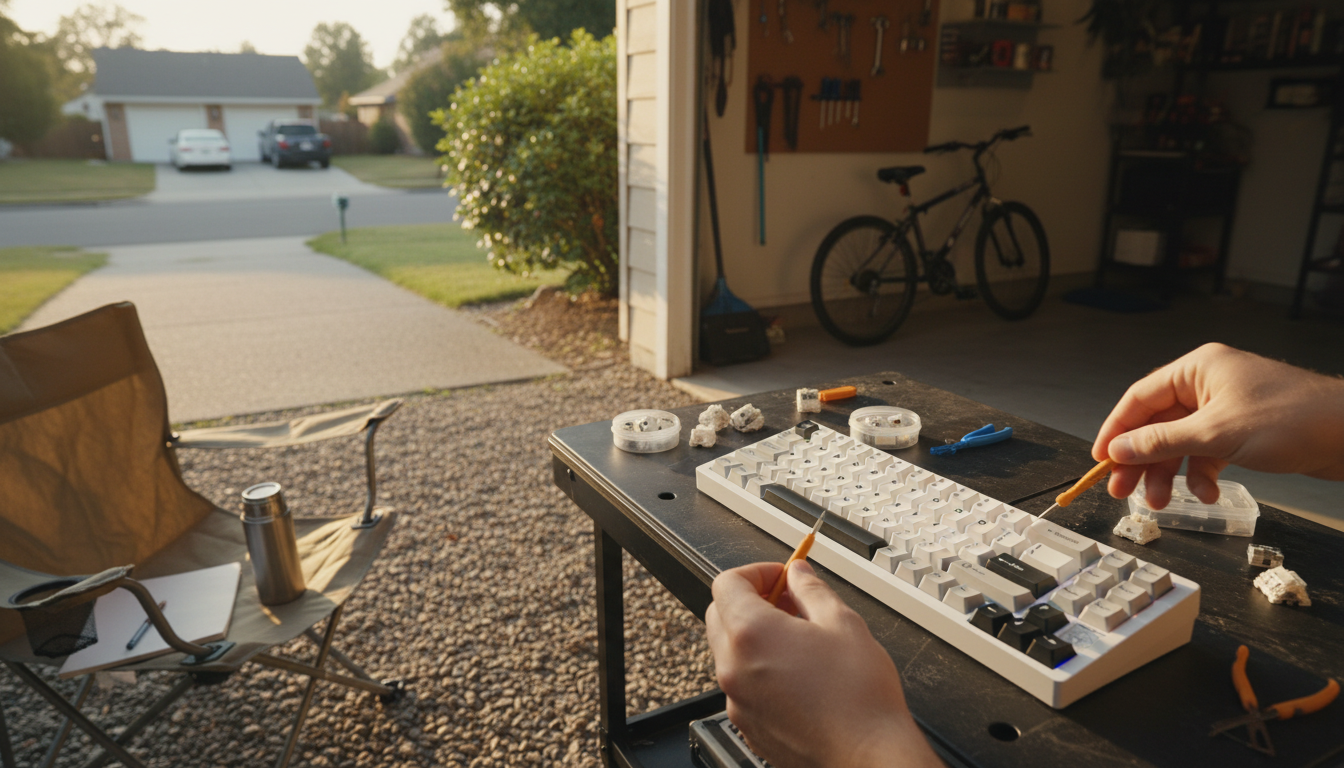
Is hot-swap good for beginners?
Yes—hot-swap is one of the most beginner-friendly features in mechanical keyboards because it lets you change switches without soldering. If you’re new to the hobby and not ready to buy tools or risk damaging a PCB, a hot-swap board keeps the learning curve low while still letting you experiment with how a keyboard feels and sounds.
Why hot-swap is easier than soldering
Hot-swap sockets are designed to accept switch pins directly, so installing or removing switches is mostly a matter of pulling a keycap, using a switch puller, and pressing a new switch into place. That means fewer steps, fewer specialized skills, and faster results. For a first build or first upgrade, it’s a straightforward way to customize without committing to permanent changes.
What beginners can try with hot-swap
A hot-swap keyboard makes it simple to compare switch types—linear, tactile, and clicky—without buying a whole new board. You can also replace a single faulty switch instead of troubleshooting a solder joint. Many newcomers like building a “test mix” by placing different switches on common keys to quickly find a preference before purchasing a full set.
Common beginner mistakes (and how to avoid them)
The main risk is bending switch pins during installation. Align the pins carefully, don’t force the switch, and straighten pins gently if needed. Also, check compatibility: most hot-swap boards support 3-pin switches out of the box, while 5-pin switches may require clipping the extra plastic legs unless the PCB supports them. Finally, avoid repeated aggressive pulling—be steady to protect sockets over time.
When hot-swap might not be ideal
If long-term durability under constant switch swapping is a priority, or if you want maximum customization with a specific PCB layout, a soldered build can be more robust. But for most beginners, hot-swap is the easiest route to learning preferences without stress.
For a deeper breakdown of pros, cons, and what to look for when choosing a board, visit the main guide on hot-swap for beginners.
FAQ
Do hot-swap keyboards support all switch types?
Most support MX-style switches, but socket and PCB compatibility matters. Many boards accept 3-pin switches universally, while 5-pin switches may need PCB support or minor modification.




Leave a comment