Mini HD Projector Guide: 1080P, WiFi, Bluetooth, Keystone
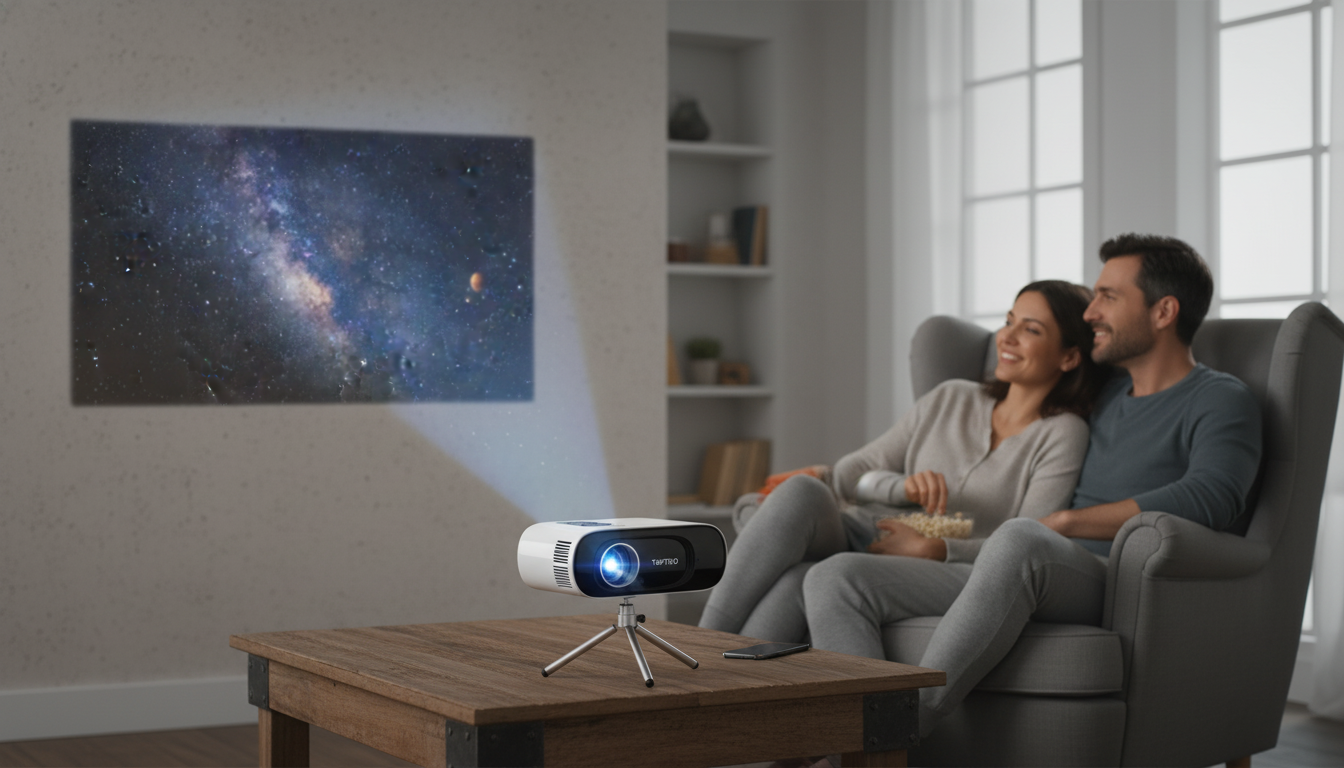
Mini HD Projector Basics: Big-Screen Feel in a Small Package
A compact projector can turn a bedroom wall, backyard screen, or meeting room into a large, shareable display without the usual setup hassle. A mini HD projector with 1080P support, wireless features, and auto keystone is designed for easy, flexible use—whether that’s a casual movie night, a kids’ cartoon marathon, or a quick presentation. This guide covers what these features typically deliver in real rooms, how to set expectations around brightness claims like “16000 lumens,” and how to get the cleanest picture and best sound with minimal fuss.
What This Mini HD Projector Is Built For
- Everyday home viewing: Enjoy streaming shows, casual movies, kids’ content, and weekend sports on a bigger image than most TVs in the same budget range.
- Portable setups: Move it between rooms, bring it to a friend’s house, or plan occasional outdoor nights (with realistic brightness expectations after sunset).
- Simple alignment: Auto keystone helps reduce the trapezoid effect when the projector isn’t perfectly centered.
- Wireless convenience: WiFi supports common casting/mirroring workflows, while Bluetooth makes it easier to upgrade audio with a speaker or soundbar.
Key Features That Matter Day to Day
Spec lists can look impressive, but a projector’s everyday experience comes down to how smoothly it connects, how quickly it aligns, and how watchable the image is in your lighting.
- 1080P support: The projector can accept and play 1080p content. Perceived sharpness still depends on the projector’s native display resolution, focus performance, optics, and how large you blow up the image.
- Brightness claims (16000 lumens): Brightness numbers vary widely across brands and can be measured differently. In practice, room darkness and screen size make the biggest difference to “pop” and contrast.
- WiFi: Helpful for mirroring/casting, but reliability depends on your network stability, device compatibility, and app restrictions.
- Bluetooth: One of the most practical upgrades—pair a speaker or soundbar to avoid relying on small built-in speakers.
- Auto keystone: Great for quick setups on a coffee table or dresser, but best results still come from placing the lens as square to the screen as possible.
Quick Feature-to-Benefit Map
| Feature | What it helps with | Best-use tip |
|---|---|---|
| 1080P support | Cleaner detail with HD sources | Use a quality HDMI source for the sharpest results |
| High-brightness rating (claimed) | Bigger image potential in dim rooms | Lower ambient light and keep image size reasonable |
| WiFi | Fewer cables for casting/mirroring | Prefer 5 GHz WiFi if available for smoother playback |
| Bluetooth | Better sound options | Pair to a speaker/soundbar and control volume on the speaker |
| Auto keystone | Faster picture alignment | Avoid extreme angles; keystone helps, but placement wins |
Setup Guide: Placement, Focus, and Keystone
A few minutes of smart placement can make the picture look sharper and more cinematic than endless setting tweaks.
- Start with placement: Set the projector on a stable surface and aim it as straight-on to the screen/wall as possible. Even with auto keystone, a centered lens position usually looks best.
- Pick an image size that matches brightness: In typical living spaces, a slightly smaller image often looks brighter and higher-contrast than an oversized one.
- Focus first, then keystone: Adjust focus using menu text or high-contrast edges. Once it’s sharp, run auto keystone for final shape correction.
- Use a matte wall or a screen: A plain, light-colored matte wall works, but a dedicated screen can improve perceived contrast and uniformity.
- Keep an HDMI cable handy: Wireless is convenient, but HDMI is still the most consistent connection for streaming devices, laptops, and game consoles.
WiFi and Bluetooth: What to Expect and How to Make It Smooth
Wireless features are valuable, but they work best when you treat them as convenience tools—not the only way to connect.
For additional projector fundamentals and terminology, resources like Projector Central and the Consumer Reports projector buying guide provide helpful overviews. For connection basics, the HDMI specification overview explains what HDMI standards generally support.
Picture and Sound Tips for a Better Movie Night
Who This Projector Fits Best (and Who Should Look Elsewhere)
In-Stock Picks and Quick Purchase Snapshot
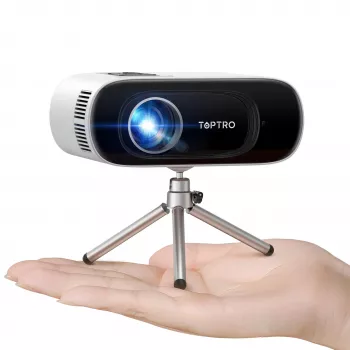
- Mini HD Projector 1080P Support, 16000 Lumens, WiFi Bluetooth, Auto Keystone — a budget-friendly way to add portable big-screen viewing with wireless convenience and quick alignment.
- Waterproof Extended Top Tube Bike Bag 1.9L — a handy option for carrying small accessories like cables, adapters, or a streaming stick when you’re on the move.
- Nike Swim Men’s Red Swim Shorts – Lightweight Summer Swimwear — a fun add-on for backyard hangs and poolside movie nights when the projector comes outside after dark.
| Item | Details |
|---|---|
| Product | Mini HD Projector 1080P Support, 16000 Lumens, WiFi Bluetooth, Auto Keystone |
| Price | $86.51 USD |
| Availability | In stock |
| Best use | Casual home viewing, portable big-screen setup, basic presentations |
FAQ
Does 1080P support mean the projector is native 1080P?
No. “1080P support” usually means it can accept a 1080p input signal, while the projector’s native panel resolution may be lower; sharpness also depends on focus, optics, and how large the image is.
Can streaming apps be played over WiFi mirroring?
Sometimes, but not always. Many streaming apps restrict mirroring due to DRM, so an HDMI connection or streaming stick is often the most consistent way to watch those services.
Why does the picture still look skewed after auto keystone?
Auto keystone works best with mild tilt and small off-center placement. If the angle is extreme, reposition the projector closer to center, reduce tilt, then refocus and rerun keystone for a cleaner rectangle.




Leave a comment